Unofficial companion for Nimiq

NimSide
Your Nimiq wallet in Chrome's side panel, beside any tab.
NimSide is an independent project. It is not affiliated with, endorsed by or operated by Nimiq Foundation or Nimiq Labs.
Add to Chrome Free on the Chrome Web Store
What it does
- 01
Balance at a glance
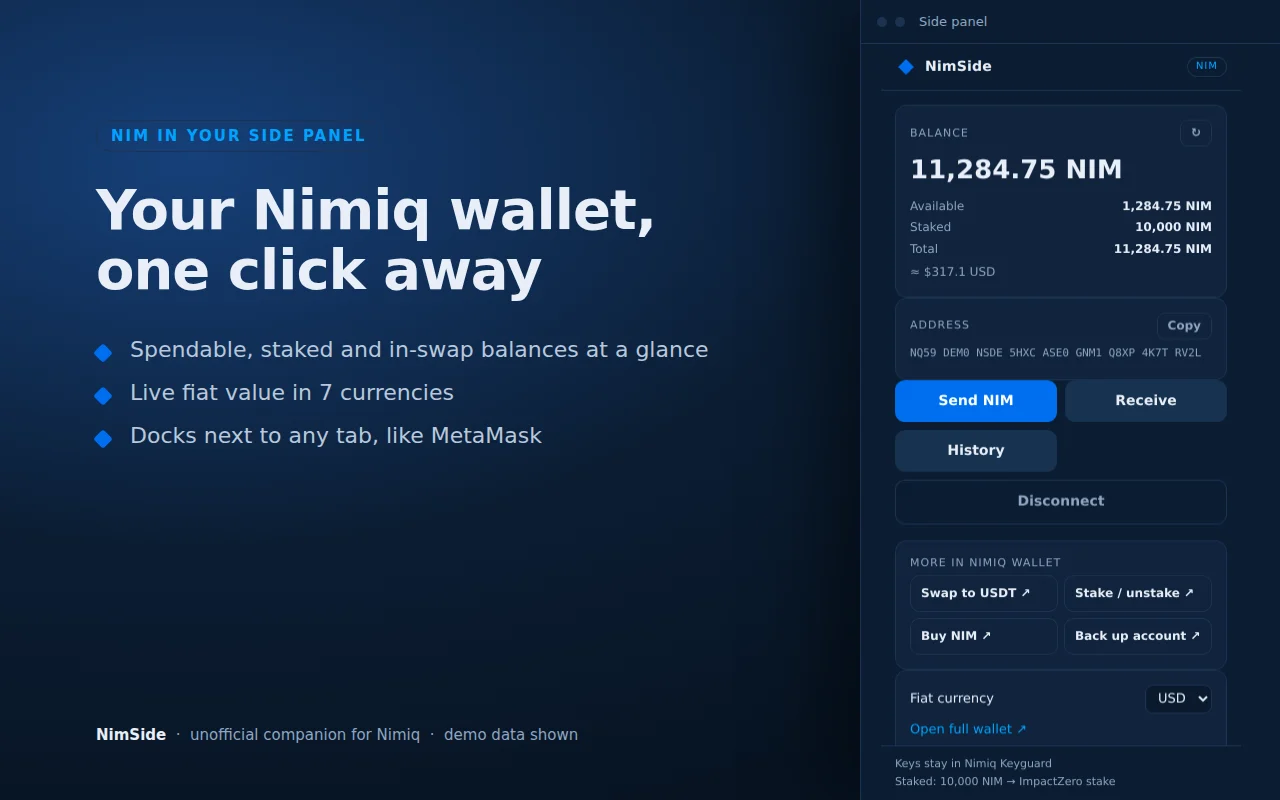
Spendable, locked in swaps (HTLC), staked and total NIM, with a fiat value in the currency you pick: USD, EUR, GBP, MYR, SGD, JPY or AUD.
- 02
Staking overview
The amount you have staked, and the name of the validator it is with.
- 03
Send
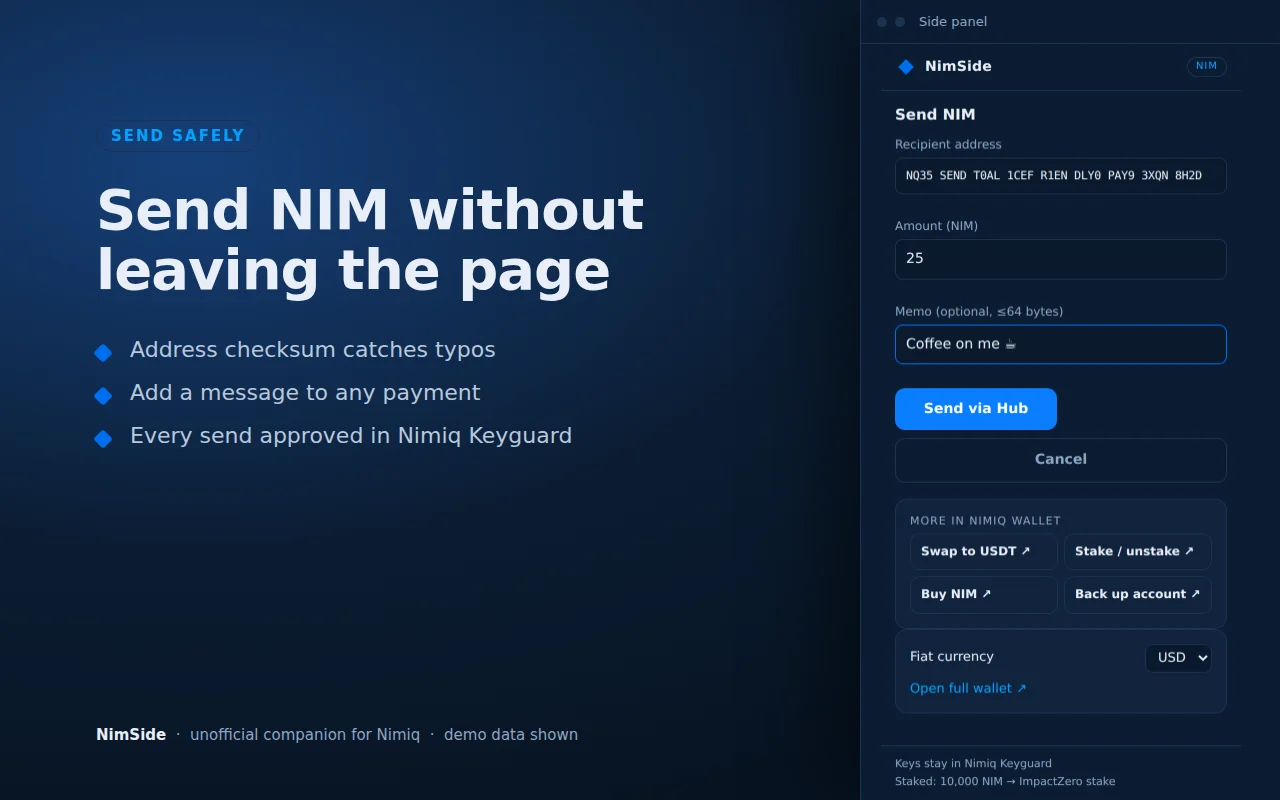
Send NIM with the address checksum validated, and an optional message attached.
- 04
Receive
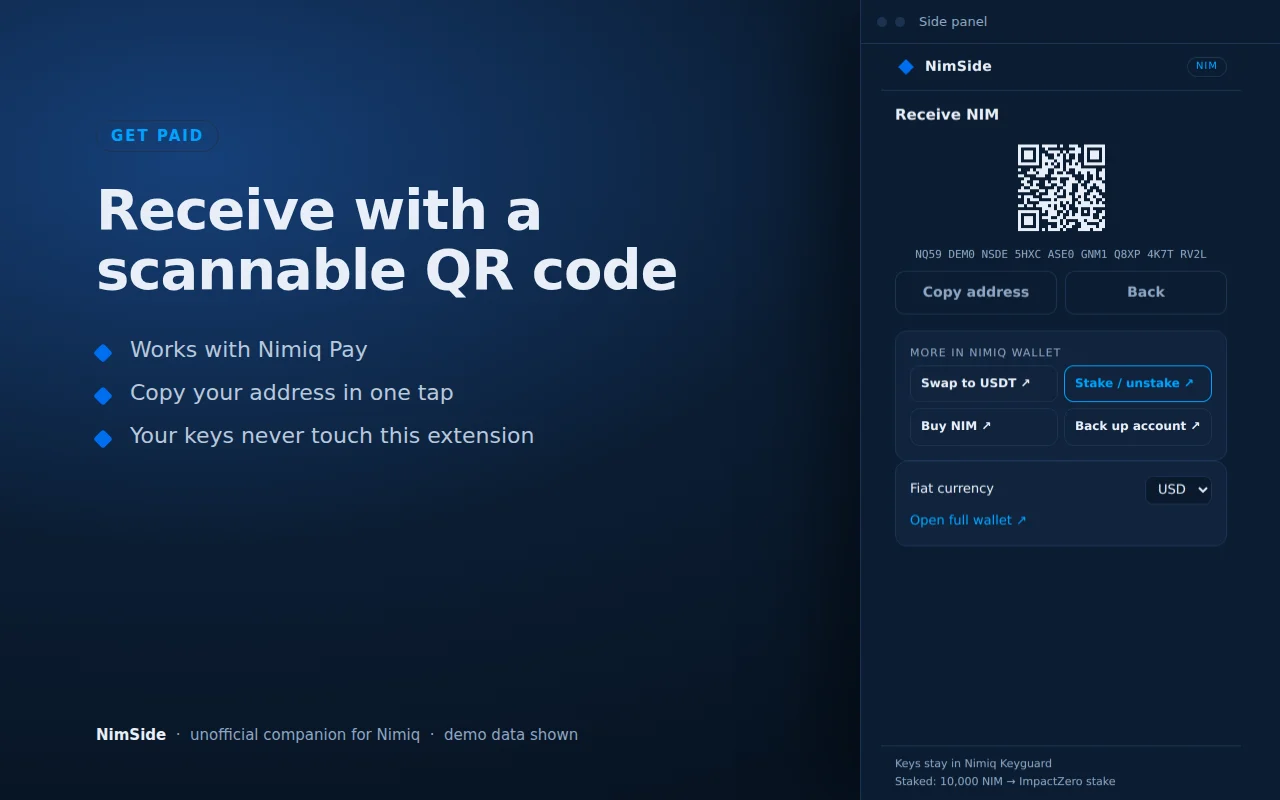
Your address as a scannable QR code. It works with Nimiq Pay.
- 05
History
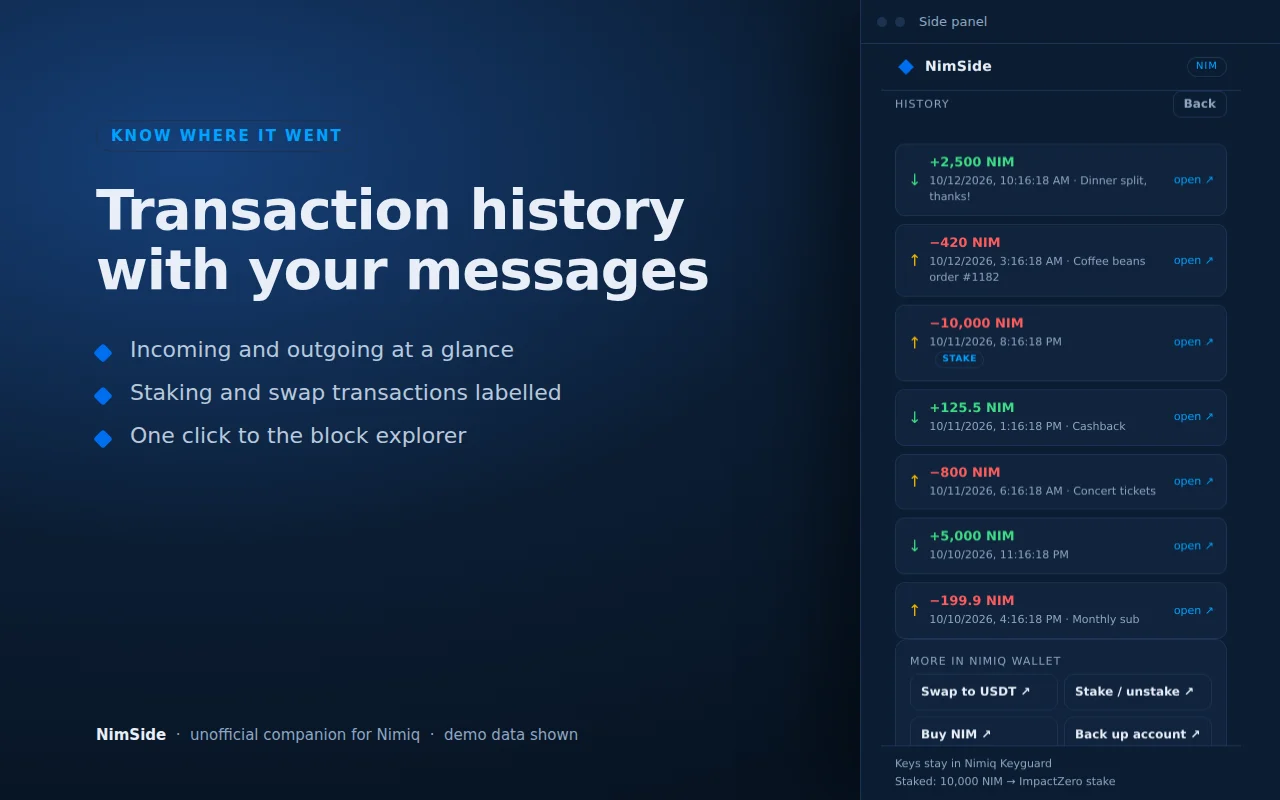
Recent transactions, each with a link to the block explorer.
- 06
Shortcuts
One click to swap, stake, buy or back up in the Nimiq Wallet at wallet.nimiq.com. NimSide does not swap or stake itself.
How it keeps your keys safe
NimSide is a view, not a vault. It never holds your keys, and every send is approved in the Nimiq Hub or Keyguard popup.
-
Your keys never reach NimSide
It never sees or stores private keys, recovery words or passwords.
-
Approval happens in the Hub or Keyguard
Connecting and every send are approved in the Nimiq Hub (hub.nimiq.com) or Keyguard (keyguard.nimiq.com) popup, not in NimSide.
-
Little is stored, and only on your device
Your public NIM address, your chosen fiat currency, and a short-lived cache of balance and history, kept in chrome.storage.
-
No analytics, no remote code
There is no analytics. All JavaScript ships inside the package, with no eval and no code loaded from elsewhere.
Permissions and network
NimSide asks for two permissions and talks to five hosts. It talks to nothing else.
Permissions
- sidePanel
- Opens NimSide in Chrome's side panel, beside the tab you have open.
- storage
- Keeps the public address, fiat currency and short-lived cache on this device, in chrome.storage.
Network
- rpc.nimiqwatch.com
- Public Nimiq RPC. Reads the balance, staking and transaction history for your public address.
- hub.nimiq.com
- Nimiq Hub popup. Connects your address and approves each send.
- keyguard.nimiq.com
- Nimiq Keyguard popup. The same connect and approve step.
- api.coingecko.com
- CoinGecko. Supplies the NIM price behind the fiat values.
- validators-api-main.je-cf9.workers.dev
- The Nimiq validators list. Supplies the name of the validator shown in your staking overview.
Privacy policy
Last updated:
This policy covers the NimSide Chrome extension, which shows your Nimiq (NIM) wallet in Chrome's side panel. The publisher is the ImpactZero validator team, reachable at [email protected].
What is collected
NimSide does not collect personal data. It stores three things, only on your device, in chrome.storage: your public NIM address, the fiat currency you chose, and a short-lived cache of balance and transaction history. It never sees or stores private keys, recovery words or passwords.
What is sent, and where
NimSide talks only to the five hosts listed above:
- rpc.nimiqwatch.com, a public Nimiq RPC: your public address, to read your balance, staking and transaction history.
- api.coingecko.com, CoinGecko: a request for the NIM price.
- validators-api-main.je-cf9.workers.dev, the Nimiq validators list: a request for validator names.
- hub.nimiq.com and keyguard.nimiq.com, the Nimiq Hub and Keyguard: connecting your address and approving each send, inside their popups.
What is not done with it
- Data is not sold.
- Data is not shared, beyond the requests listed above that the wallet view needs.
- Data is not used for anything unrelated to the wallet view.
- Data is not used to determine creditworthiness, or for lending.
- There is no analytics and no tracking.
How to delete it
- Click Disconnect in NimSide to remove the stored address and balances.
- Remove the extension from Chrome to delete everything it stored, including the cached transaction history.
Contact
Questions or requests about this policy: [email protected].
NimSide is an unofficial, independent project published by the ImpactZero validator team. It is not affiliated with, endorsed by or operated by Nimiq Foundation or Nimiq Labs.